Translations:Nastavení Outlook s MFA pro mobilní zařízení/4/en: Porovnání verzí
Skočit na navigaci
Skočit na vyhledávání
Bez shrnutí editace |
Bez shrnutí editace |
||
| Řádek 11: | Řádek 11: | ||
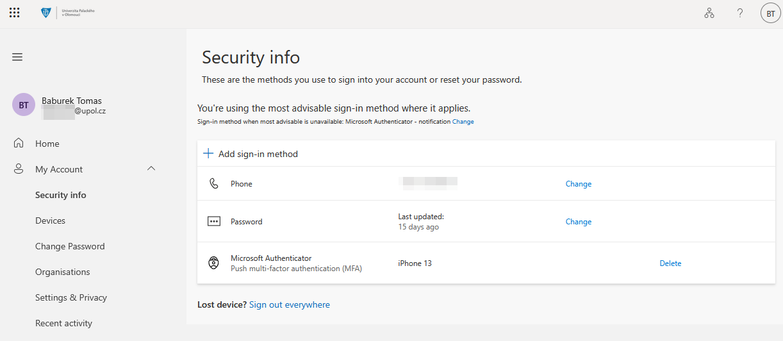
Screenshot 11 – Configured authentication methods | Screenshot 11 – Configured authentication methods | ||
[[Soubor:Mfa-en11.png|střed|bezrámu|783x783pixelů]] | |||
Verze z 20. 7. 2026, 13:11
Configured Authentication Methods
After completing the configuration, your mojeheslo.upol.cz page should display your configured authentication methods.
If you see an authentication method named "Authenticator – Outlook mobile", this configuration is incorrect.
In that case:
Remove this authentication method. Remove the account from the Outlook mobile app (recommended). Configure the account again by following this guide.
Screenshot 11 – Configured authentication methods
