Translations:Nastavení Outlook s MFA pro mobilní zařízení/4/en: Porovnání verzí
Skočit na navigaci
Skočit na vyhledávání
Bez shrnutí editace |
Bez shrnutí editace |
||
| Řádek 1: | Řádek 1: | ||
=== Configured Authentication Methods === | === Configured Authentication Methods === | ||
After completing the configuration, your mojeheslo.upol.cz page should display your configured authentication methods. | After completing the configuration, your mojeheslo.upol.cz page should display your configured authentication methods. | ||
If you see an authentication method named "Authenticator – Outlook mobile", this configuration is incorrect. | If you see an authentication method named "Authenticator – Outlook mobile", this configuration is incorrect. | ||
In that case | In that case remove this authentication method, remove the account from the Outlook mobile app (recommended) and then configure the account again by following this guide. | ||
[[Soubor:Mfa-en11.png|střed|bezrámu|783x783pixelů]] | [[Soubor:Mfa-en11.png|střed|bezrámu|783x783pixelů]] | ||
Aktuální verze z 20. 7. 2026, 13:24
Configured Authentication Methods
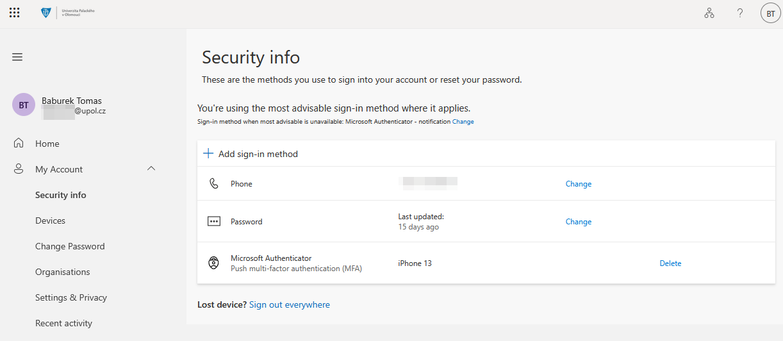
After completing the configuration, your mojeheslo.upol.cz page should display your configured authentication methods. If you see an authentication method named "Authenticator – Outlook mobile", this configuration is incorrect.
In that case remove this authentication method, remove the account from the Outlook mobile app (recommended) and then configure the account again by following this guide.
